
All tools
AI removal tools for images and video
Remove backgrounds, subtitles, and watermarks from your images and videos. Pick a tool to start — video previews run the first 5 seconds free at source resolution with no watermark added. Full-length jobs use one-time credits only after they succeed.
Image Tools
Remove what you don't want from a photo and export a clean, transparent-background result.
AI image removal toolsVideo Tools
Remove backgrounds, subtitles, watermarks, logos, and any unwanted object from footage you already have.
AI video removal toolsBackground & subtitle removal
Remove Anything by Prompt
Describe an object, person, text, or distraction and remove it from your video.
Open tool
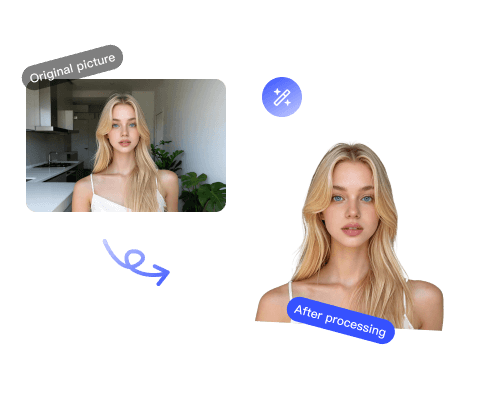
Image Background Remover
Remove image backgrounds with clean hair and soft edges; export a transparent PNG.
Open toolVideo Background Remover
Cut the subject out of a video without a green screen or manual masking.
Open tool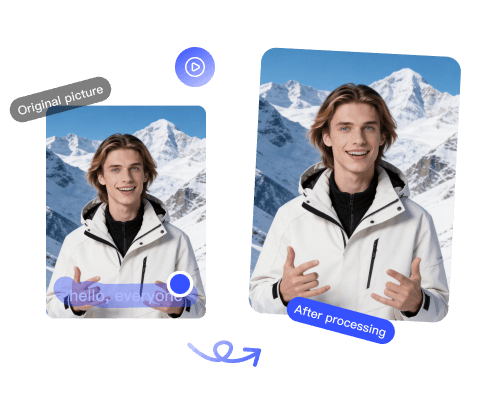
Video Subtitle Remover
Erase hardcoded subtitles and rebuild the frame — no blurry patch left behind.
Open toolWatermark removal
Watermark Removal
Remove watermarks, logos, and overlays from video. Clean, share-ready exports.
Open toolRemove Any Logo
Upload a video and draw a box around any logo or brand mark you want gone.
Open tool
Google Veo Watermark Remover
Remove the Google Veo watermark from AI-generated videos for clean, share-ready clips.
Open tool
TikTok Watermark Remover
Remove the TikTok logo and @username watermark so you can repost clips anywhere.
Open tool
Kling Watermark Remover
Remove the Kling AI watermark from generated videos for a clean, unbranded export.
Open tool
Runway Watermark Remover
Remove the Runway watermark from AI-generated videos for clean, unbranded exports.
Open tool
Seedance Watermark Remover
Remove the Seedance watermark from AI-generated videos for a clean, unbranded export.
Open tool
YouTube Watermark Remover
Remove channel watermarks, logos, and brand bugs from YouTube videos.
Open tool
CapCut Watermark Remover
Remove the CapCut ending logo and corner mark from exported videos.
Open tool
Filmora Watermark Remover
Remove the Wondershare Filmora watermark overlay from exported videos.
Open tool
InShot Watermark Remover
Remove the InShot badge and ending logo from exported videos.
Open tool
Kapwing Watermark Remover
Remove the Kapwing watermark from videos exported on the free plan.
Open tool
VEED Watermark Remover
Remove the VEED.io watermark from videos exported on the free plan.
Open tool
Clipchamp Watermark Remover
Remove Clipchamp and premium-content watermarks from exported videos.
Open tool
Pika Watermark Remover
Clean the Pika badge from an AI clip, then inspect the repaired motion before export.
Open tool
Luma Watermark Remover
Remove the Luma Dream Machine logo from AI-generated videos.
Open tool
Hailuo Watermark Remover
Remove the Hailuo (MiniMax) logo from AI-generated videos for a clean export.
Open tool
Vidu Watermark Remover
Test a Vidu export with a free five-second preview before committing credits to the full cleanup.
Open tool
Dreamina Watermark Remover
Remove the Dreamina (Jimeng) logo from AI-generated videos, including Seedance clips.
Open tool
HeyGen Watermark Remover
Remove the HeyGen logo from AI avatar and video generations for a clean, unbranded export.
Open tool
Snapchat Watermark Remover
Remove the Snapchat ghost logo and overlays from saved videos.
Open toolDouyin Watermark Remover
Remove the Douyin logo and user ID watermark from saved videos.
Open tool
Instagram Watermark Remover
Remove the Instagram Reels logo and @username from saved videos.
Open toolSwitching from another tool?
See how remover.work compares — a free full-resolution preview with no watermark, and one-time credits instead of a subscription.